School answers, on WhatsApp.
Families and staff ask BaboBot in the app they already use, with nothing new to download. Answers come from your school's own documents, and a person is one tap away.
Book a demo
Where parents ask today: the class group chat.
When the answer is hard to find, parents ask each other. But a group chat was never meant to be the school's help desk.
Guesses travel fast.
One parent's best guess about a date or a policy gets repeated until it sounds official, even when it's wrong.Frustration builds.
Unanswered questions turn into a thread of shared frustration about the school, and sometimes friction between parents.Staff answer it five times.
Someone ends up watching the chats, or answering the same question in every grade's group.
BaboBot gives each family a private chat on WhatsApp with the school's official answer, so the question never has to go to the group.
Every answer comes with its source.
Tap View source and BaboBot sends the document behind the answer right in the chat, so families can read it for themselves.
Only your approved sources.
Your handbook, website, documents and the emails you send families.Fits the person asking.
Answers take into account who is asking, their children's grades and today's date at your school.

When they need a person, staff reply in the same chat.
- 1
Ask for a person
Tap Talk to staff under any answer, or send /staff at any time.
- 2
Get the reply here
Your staff answer from BaboBot, and the reply arrives in the same WhatsApp chat, even days later.
You see every WhatsApp conversation.
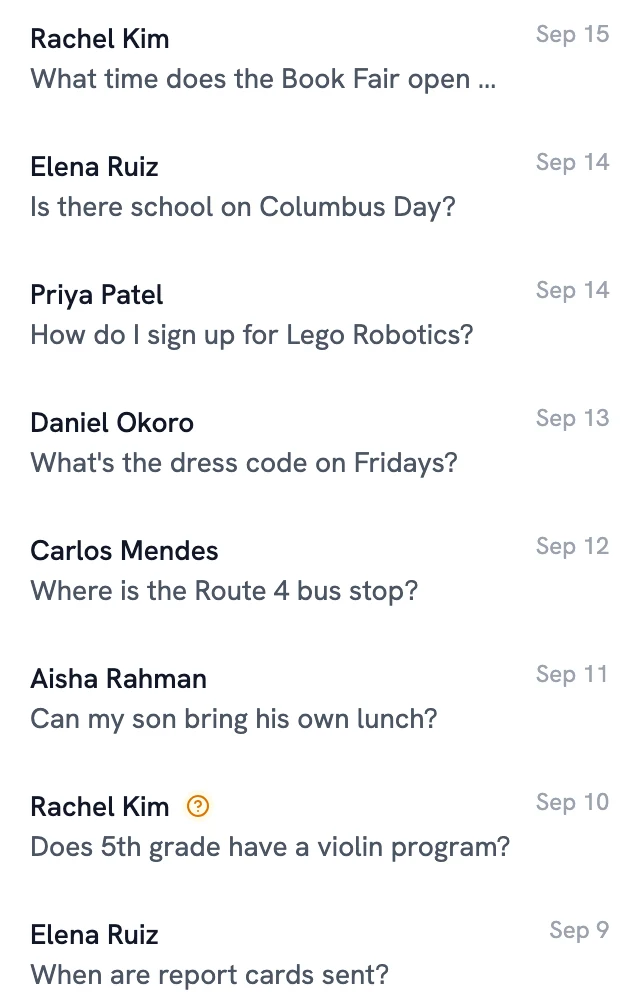
The questions families ask on WhatsApp show you what your communications are missing.
All in one place.
WhatsApp chats show up in your dashboard next to your portal conversations, including the questions BaboBot couldn't answer.Only your families.
The first time a parent messages, BaboBot emails a code to the address you have on file for them. Once they enter it, their number is connected.
Your number, your families.
- 1
Connect your number
Connect your school's own WhatsApp number from the BaboBot admin app, through Meta's sign-up.
- 2
Bring your roster
Roster sync from your SIS tells BaboBot who your families and staff are.
- 3
Families say hello
Each person links their number once with a code sent to their email, then asks away.
See BaboBot on WhatsApp at your school.
A 30-minute walkthrough, with time for your questions.