Answers for your whole camp community.
Families and staff ask in a private portal or on your website. BaboBot answers from your handbooks, packing lists, website, and the emails you send families, and you see every question.
Parents research camps at night. Your website answers.

No. Phones, smartwatches, and other electronics stay home.
To stay in touch, email letters@maplehollow.example with your camper's name and cabin in the subject line. Emails are printed and handed out with the mail after lunch.
A private portal for your whole camp community.
Parents and staff sign in with Google or email, and there's nothing to install. BaboBot knows who's asking. Answers draw on what your camp roster holds about them, down to each camper's group. When BaboBot doesn't know, it says so, and a Get More Help button sends the question to your camp office.
See the PortalEverything your camp knows, connected.

- Handbooks
- Packing lists
- Schedules
- Google Drive
- Forms
- Website
- Emails
- Calendars
Your camp's answers, in one place your community can trust.
01 For admins
See every question people ask.
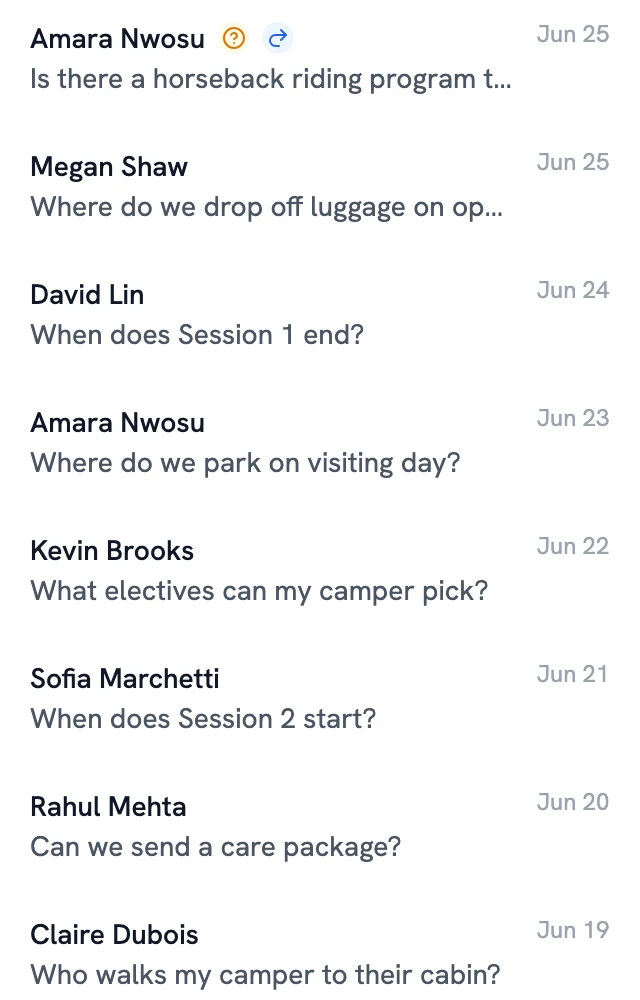
Read every conversation from your website and the portal, including the ones BaboBot couldn't answer. The questions show what your communications are missing and what prospective families care about when they choose a camp. We also put together detailed reports on how your community uses BaboBot, built around what your camp wants to know.
02 Conflicts
Contradictions flagged before anyone asks.
When your handbook, website, and emails disagree on a date, a time, or a policy, BaboBot flags it for an admin as the documents are added. You pick the right answer and fix it once.
The packing list and the opening day guide give different luggage limits
03 For staff
Staff get answers too.
Counselors and staff ask about procedures and policies, like booking the arts barn, and get answers that link the sign-up sheet and the policy. Staff-only documents stay with staff.
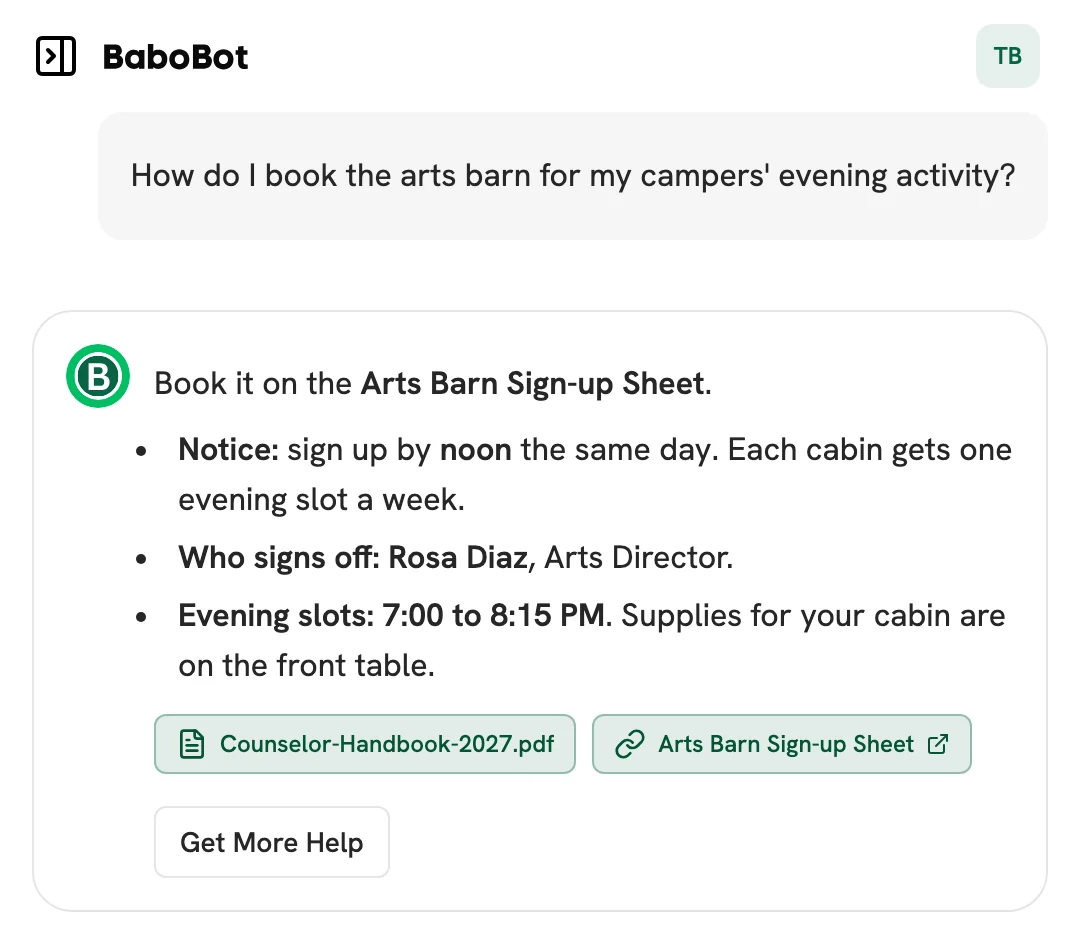
Book it on the Arts Barn Sign-up Sheet.
- Notice: sign up by noon the same day. Each cabin gets one evening slot a week.
- Who signs off: Rosa Diaz, Arts Director.
- Evening slots: 7:00 to 8:15 PM. Supplies for your cabin are on the front table.
04 Upkeep
Stays current without extra work.
Upload your handbook and packing lists, link your web pages and Google Drive files, and add BaboBot to your mailing lists. It keeps checking linked pages for updates.
- Packing-List-2027.pdfIn 1 conflictPublicGuardiansStaffAdmins
- Sessions & Dates 2027PublicGuardiansStaffAdmins
- emailJuly NewsletterGuardiansStaffAdmins
- Counselor-Handbook-2027.pdfStaffAdmins
An incomplete answer is a wrong answer.
Every fact, not just every page
BaboBot reads each document down to its individual facts: a date, a time, a deadline. A detail on page 40 of the handbook still counts.
It knows which version is current
It notices when a newer source replaces an older one, and flags it for an admin when two sources disagree.
Each person gets their own answer
A Juniors parent and a counselor can ask the same question and get the answer meant for them. BaboBot only uses sources that person is allowed to see.
Live in under a week.
- 1
Bring your sources
Upload handbooks, packing lists, and session schedules. Link your web pages and Google Drive files, and add BaboBot to your mailing lists.
- 2
Choose who sees what
Upload your camp roster as a CSV file, then mark each source for families, staff, or admins. Staff-only documents stay with staff. Pick the inbox where questions sent to staff land.
- 3
Go live
Give the Widget your camp's colors and starter questions, then add it to your website with one line of code. Open the Community Portal to camp families and staff.
See how BaboBot would work at your camp.
A 30-minute walkthrough of the Widget, the Community Portal, and conflict detection, with time for your questions.